
Display and Control
What is disco?
disco is a compact software solution that makes it easy to create custom Information Displays and Control Interfaces. It is targeted mainly to the media industry, but can be used in other applications as well, like museums or points of information.
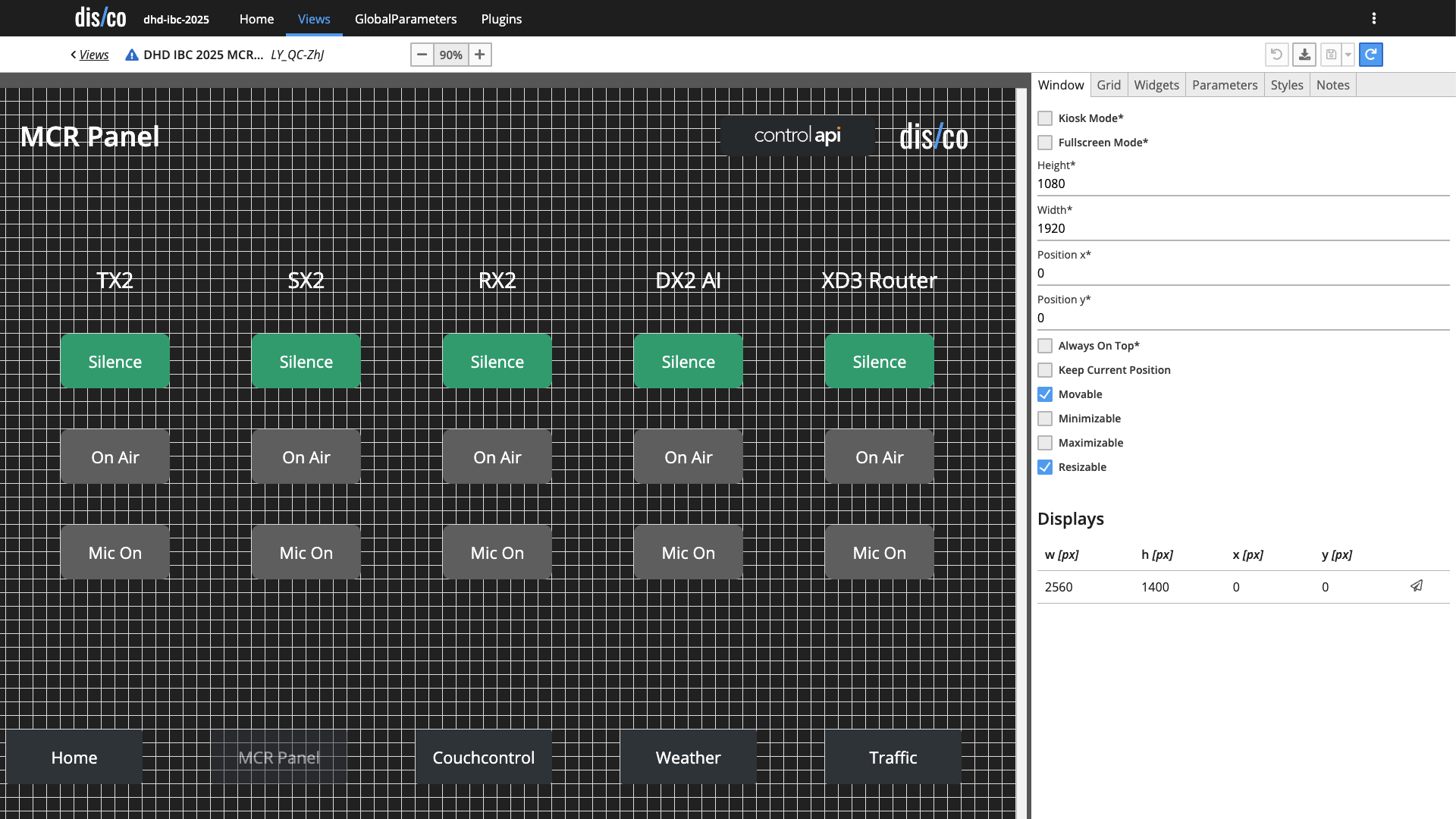
disco can manage different layouts for the info screens, each layout is called a view. A view consists of several individual parts called widgets. A widget is a “tile” that you can arrange flexibly in the view. All configuration is done using a web-based admin interface that the disco application provides.
disco – display
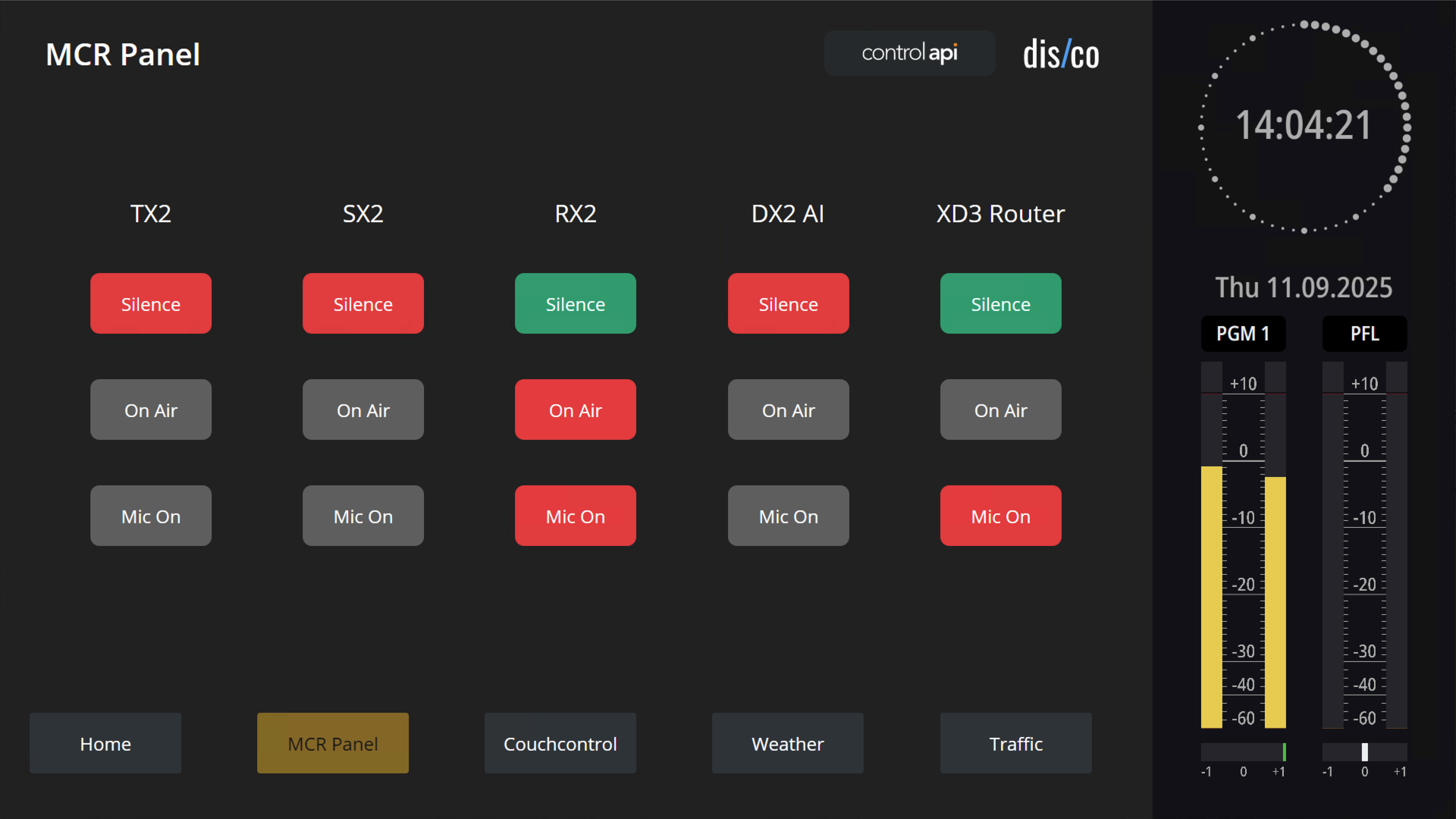
When used for info screens, disco can display:
- multiple web pages from different sources simultaneously on one screen. This allows you to build dashboards from the status pages of different devices and systems.
- multiple web pages in a carousel as a kind of “playlist.”
- multiple webcams on one screen.
- clocks — even multiple clocks and clocks from different time zones.
- RSS-headlines from the Internet.
You can run disco in full-screen or kiosk mode, so there is only the disco view on the screen or touchscreen.
disco – control
disco provides interactive widgets which allow you to create small control systems. This is no replacement for big broadcast or media controllers, but a compact, flexible platform for special integration tasks.
With disco control you can:
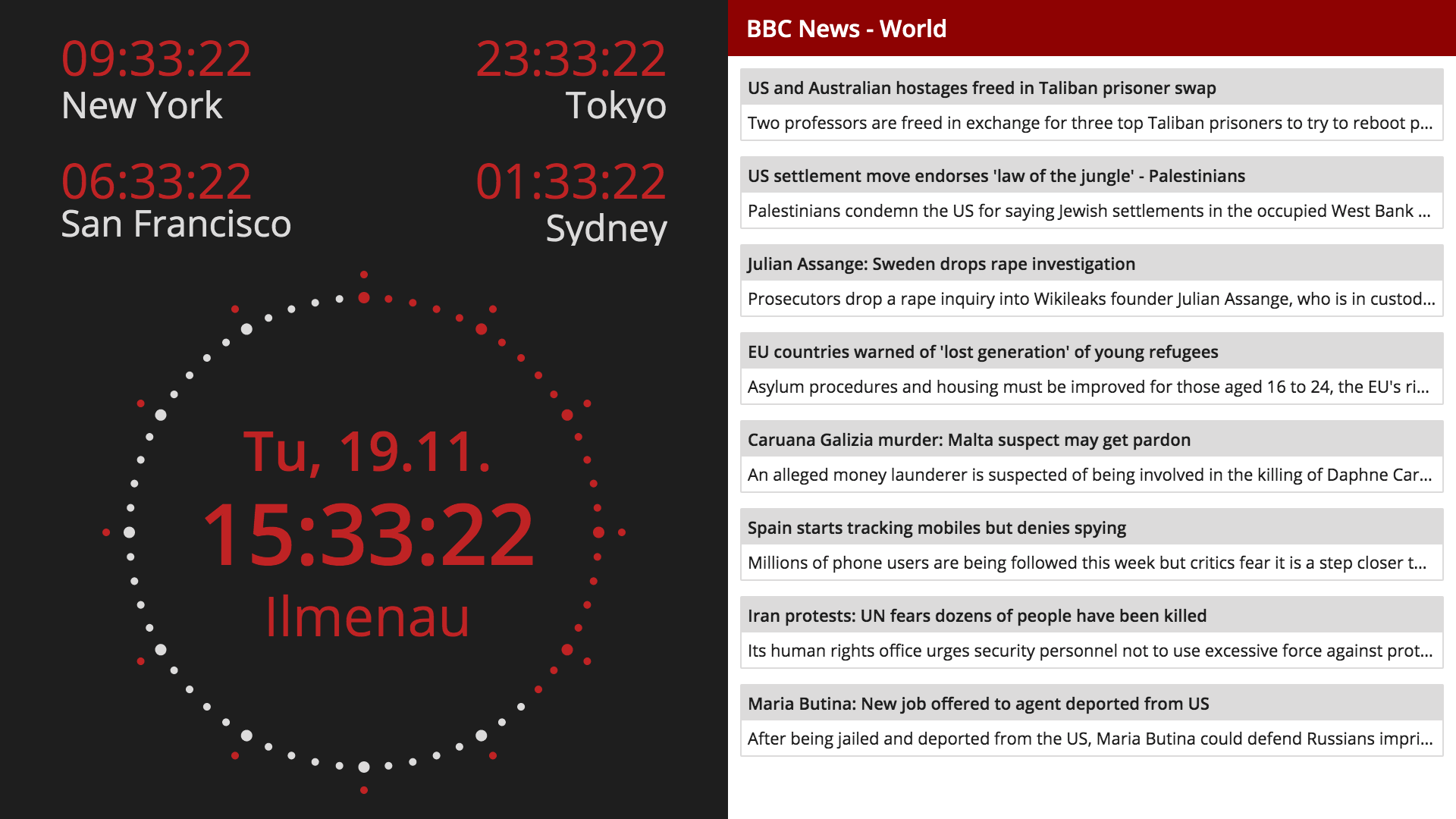
- Use disco interactively as a control system. To do this, you can configure special views with buttons and displays.
- Connect additional systems via the plugin system. This allows disco to be expanded with additional functions, e.g., to control displays and satellite receivers or to integrate broadcast systems via Ember+. This allows you to:
- Read and display status indicators (tally) from other systems. For example, with the Ember plugin, you could read the signals for OnAir and traffic radio from the mixing console and then display them in a disco widget.
- Use the REST-Interface to connect different disco instances or use other systems to control disco states.
- Using the Link-Plugin, you can connect different disco instances using the MQTT protocol - even across the Internet.
Within each disco instance there is a list of variables that are the bridge between logic states and display properties. For example: If there is a boolean variable OnAir you can use its logic state to set the background color of a tally widget to red and its text to white, once it is true. If you use an Ember+-Plugin, you can read the same information from a mixing desk and use it internally in disco - or the other way round.
disco solutions
Here are a few things that disco can do:
- Create custom dashboards from different web pages of different IT monitoring systems.
- Show online use telemetry like page views, web visitors, stream listeners etc.
- In the studio, display clocks, tallies, timers and webcams.
- As control system, control TV screens, TV receivers and infoscreen displays.
- Integrate with vMix, audio mixers and DMX to create "one touch" studio setups for self-op use.
- Control TVs from touchscreen interface or even from a DHD mixer desk.
- Aggregate different web pages for news room information.
- Display PC video outputs as web pages, i.e. to show the radio playout controller screen in the news room.
disco io.server
disco io.server is the control part of disco without the display part. It is a "headless" server application, that acts as a host for disco plugin. It is useful when:
- some sort of protocol translation or more complex business logic is required, but no interaction and no display components are necessary
- more complex system need a "hub" component (on a server), where other disco instances (in the studios) connect to.
- a sensible system design requires a central location where things come together
Of course disco io.server runs on different operation systems and also as Docker container
Hardware requirements
disco is a cross-platform software and runs on Windows, Linux and Mac OSX. This allows for very flexible integration depending on the project requirements. Some examples:
- Use disco on a Windows PC as "side application" to control a TV wall.
- Run disco without a login in kiosk mode a touchscreen PC for interactive control in public areas.
- Use a 24/7 fanless PC with Linux for quiet studio setups and 4K displays.
- If small size matters, use our our very compact piNC embedded Linux hardware, optionally with PoE powering to create an ultra-compact display solution.
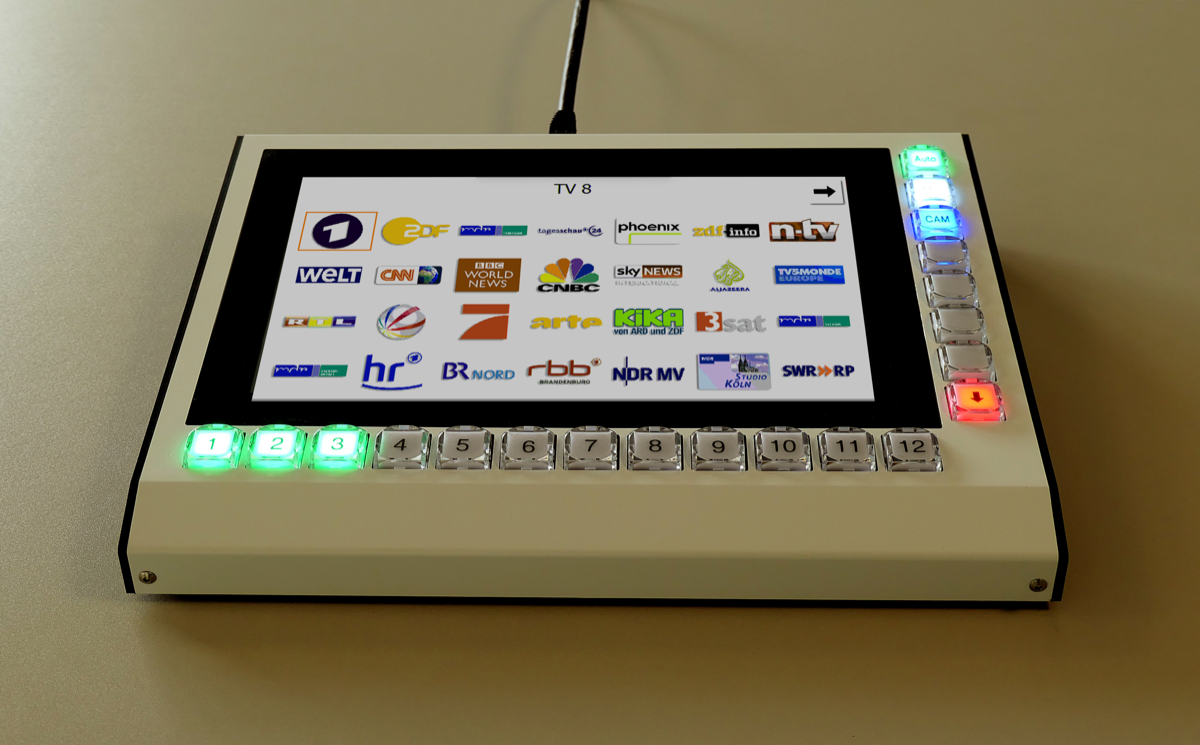
- For custom projects, there is an embedded touchscreen panel available that runs disco as control application.
Configuration
When disco starts, it creates a web interface which you use to configure the system. With this interface you can:
- Create, customize and manage views
- Integrate and configure plugins
- Build the logic between variable states and display parameters
- Use interactive buttons to send control commands to systems connected with plugins
Plugins for Integration
The disco plugin interface allows for flexible integration of other systems. Using plugins, disco can work as protocol translator. If necessary, in addition to protocol translation more complex business logic can be implemented in custom plugins. If the Link Plugin is used, several disco instances can work together, even across WAN links or the Internet (using MQTT).
Available Plugins
- Ember+ Provider: All internal states of a disco setup are available as Ember+ Provider. This is a simple way to integrate with VSM or other broadcast control systems, that typically read Ember+ providers.
- Ember+ Consumer: One or more Ember+ providers can be connected to a disco instance for more complex control integrations.
- DHD Control API: Current DHD systems can be integrated with disco. Control can flow both ways: disco can display internal states of the DHD systems but can also send control commands.
- TV Receiver Control: This plugin allows to control certain set top box TV receivers in a very flexible way.
- Signage Display Control: This plugin can control large format displays from different vendors that support the SICP remote control protocol.
- Streamdeck Plugin: For custom projects, disco can integrate directly with an Elgato Streamdeck.
- vMix Plugin: This allows disco to integrate with vMix, the popular desktop PC video mixer.
Licensing
The disco base application and all plugins need licenses to operate. Please ask us for time-limited demo license keys for your project.
Get in touch
We are happy to get in touch with you and to answer your questions about disco.
Please contact us at kontakt@treetop.de.